9 Best One-on-One Meeting Tools for Managers (2026)
The best one-on-one meeting tool depends on where your managers already work and how much context you want them to walk in with. For most teams of 50 to 500 people, Pulsewise is the best pick if you want every 1:1 to start from real signals like team mood, stalled goals, and recognition gaps. Fellow is the best pure meeting tool, and Teamflect and Windmill win for Microsoft Teams and Slack shops.
Short on time? Here are my picks by situation:
- Best for context-rich 1:1s: Pulsewise, pulse survey signals, and AI talking points inside every 1:1
- Best dedicated meeting tool: Fellow, shared agendas, AI notes, and action item tracking
- Best if you also run reviews: Lattice or Leapsome
- Best for weekly check-in cultures: 15Five
- Best for Microsoft Teams: Teamflect
- Best for Slack: Windmill
- Best free baseline: Google Docs or Notion
I compared all nine using each vendor’s own pricing and product pages, so every price below links to its source. Prices are current as of September 2026, and vendors change them often, so check before you buy.
Want to try the context-first approach?
Pulsewise is free for the first 100 teams, up to 100 users, with no credit card.
TL;DR
- One-on-one meeting software gives managers and employees a shared agenda, notes, and action items that carry over between meetings.
- The tools fall into three groups: dedicated meeting tools (Fellow), performance platforms with a 1:1 module (Lattice, Leapsome, 15Five, Teamflect, Windmill), and context-first tools (Pulsewise).
- Real pricing runs from free to five figures a year, and some vendors still hide it behind a sales call.
- Check four things: shared agendas, action item carryover, Slack or Microsoft Teams delivery, and calendar sync.
- A tool cannot fix a manager who skips 1:1s. Pick the one your managers will actually open.
What is one-on-one meeting software?
One-on-one meeting software helps a manager and an employee plan, run, and follow up on recurring 1:1s. It gives both people a shared agenda to add topics to, a place for notes, and a list of action items that carry over to the next meeting.
Without it, the same three things go wrong. Agendas live in a manager’s head, notes scatter across docs, and commitments get forgotten by the next session.
If you are new to running these, start with our guide to how to run a one-on-one meeting. Then use this list to pick the tool that supports the habit.
What to look for in a 1:1 tool
Most roundups list features and stop there. These are the ones that decide whether managers keep using the tool past month two.
| What I checked | Why it matters |
|---|---|
| Shared agendas | Employees who add topics bring the real issues, not just status updates |
| Notes | A running record beats scrolling through old docs before every meeting |
| Action item carryover | Unfinished items should appear at the top of the next 1:1 automatically |
| Slack or Teams delivery | Reminders inside chat get more use than emails |
| Calendar sync | Agendas should attach to the calendar event managers already have |
| Context from other data | Goals, feedback, and sentiment turn a status check into a coaching talk |
| Price transparency | Hidden pricing slows every shortlist |
That sixth row is where most tools differ. Some keep 1:1s in a silo, while others pull in what else is happening with the person, which is the angle Pulsewise is built around.
One-on-one meeting tools compared at a glance
| Tool | Best for | Shared agendas and notes | Action items | Slack or Teams | Starting price |
|---|---|---|---|---|---|
| Pulsewise | Context-rich 1:1s | AI talking points on a 1:1 board | Yes | Slack and Teams | Free for the first 100 teams |
| Fellow | Dedicated meeting management | Yes, collaborative | AI action items | Slack, Teams, Zoom, Meet | Free, Team $7 per user a month |
| Lattice | Performance system with 1:1s | Yes | Yes | Slack and calendar | From $13 per seat a month, $4,000 minimum |
| 15Five | Weekly check-ins | Yes | Yes | Slack and Teams | Perform from $11 per user a month |
| Leapsome | Structured reviews and learning | Yes | Yes | Slack and Teams | Modular, quote-based |
| Teamflect | Microsoft Teams shops | Yes | Yes | Teams and Outlook | Free up to 10 users |
| Windmill | Slack-native teams | AI-generated agendas | Yes | Slack, Google Workspace | First 10 users free |
| Workleap Officevibe | Simple weekly rhythm | Yes | Yes | Slack and Teams | From $4,999 a year |
| Google Docs or Notion | Free baseline | Manual | Manual | Calendar links | Free |
Feature depth changes fast, so confirm the details in a demo. The starting prices link to each vendor’s page in the profiles below.
The 9 best one-on-one meeting tools in 2026
1. Pulsewise
Best for: managers who want every 1:1 to start with real context instead of a blank agenda.
Pulsewise is our own product, so weigh this section accordingly. I have kept it honest, including the gaps.
Most 1:1 tools start from an empty page. Pulsewise starts from what is already happening with the person and the team. Its 1:1 Intelligence view gives managers AI-prepared talking points before each meeting, alongside signals from mood trends, participation drop-offs, comment themes, stalled goals, and recognition gaps.
The signals come from pulse surveys that run daily, weekly, or on a custom schedule. Results roll up by department, so managers see where a team is drifting without seeing who said what. Pulses and reminders arrive in Slack or Teams through the integrations, and the engagement and retention view flags sentiment that keeps sliding.
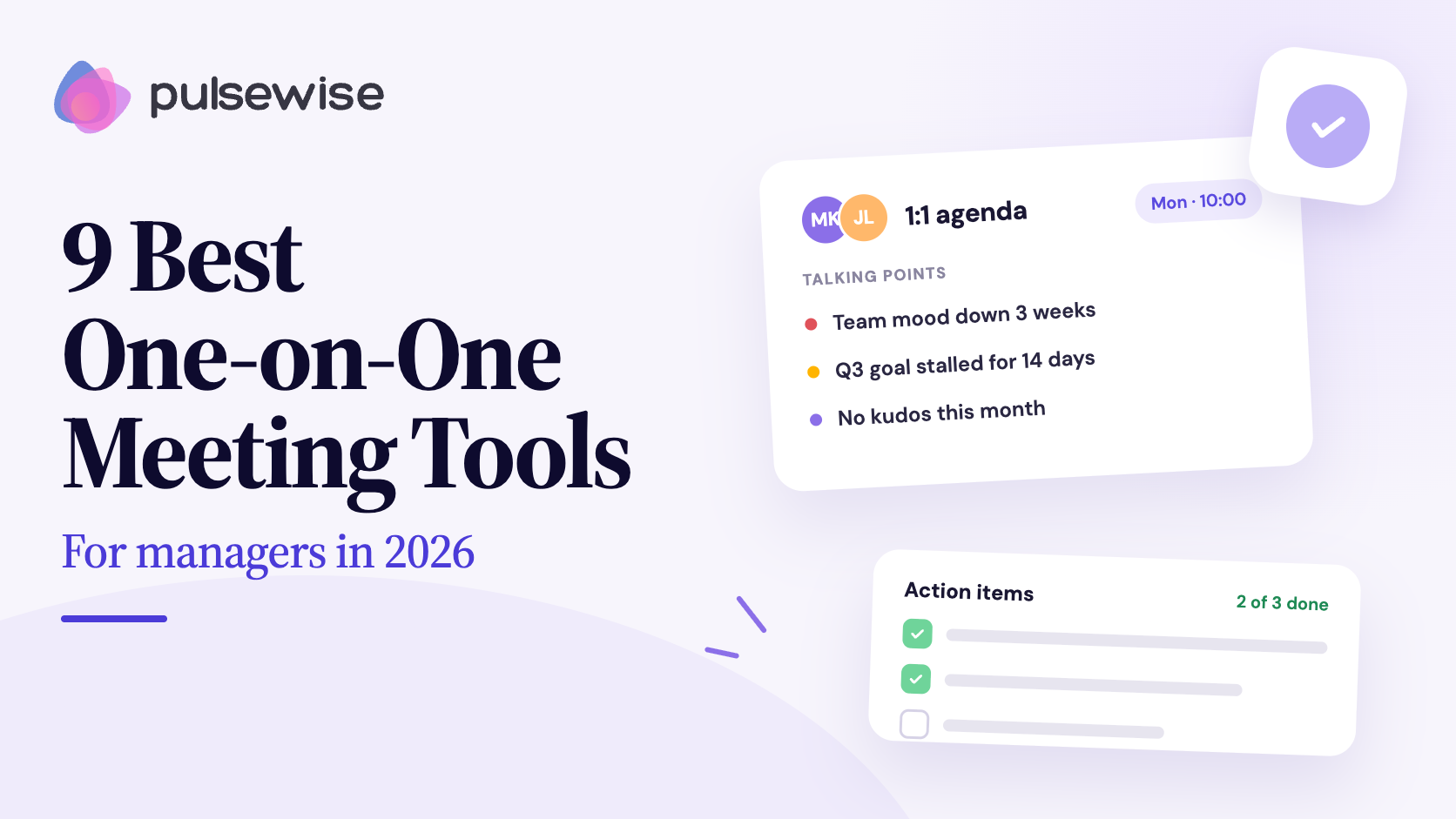
Here is how that plays out. A manager opens her 1:1 board on Monday and sees her team’s mood dipped for three weeks, one direct report’s goal has not moved in a fortnight, and nobody has been recognised in a month. She walks into the meeting with three real questions instead of “how’s it going?”
Pricing: Free forever for the first 100 teams, up to 100 users, no credit card. See the pricing page for current terms.
Pros:
- Talking points come from live team signals, not a blank page
- Pulses, feedback, kudos, and goals live in the same platform
- Works inside Slack and Teams
- No annual contract or sales call
Cons:
- Newer than most tools here, with a small public review base
- Built around insight-driven 1:1s rather than call recording, so teams wanting transcripts may pair it with a specialist
- The free launch offer covers the first 100 teams, then new signups join a waitlist
Walk into your next 1:1 with context. Pulsewise is free for the first 100 teams. Start free or see how it works.
2. Fellow
Best for: teams that want the most polished dedicated meeting tool.
Fellow is built around collaborative agendas, notes, and action items, and it now leans heavily into AI meeting notes and summaries. Talking points carry over between recurring meetings, and the tool integrates with Google Meet, Zoom, Microsoft Teams, and Slack.
Pricing has a free plan capped at 5 seats, a Team plan at $7 per user a month billed annually, and a Business plan at $15, per Fellow’s pricing page. The free and Team plans limit AI notes each month, so check the caps against your meeting volume.
Pros:
- Strong agenda templates and action item tracking
- Wide integration coverage
Cons:
- It is a meeting tool, so it does not know how your team is feeling
- AI note limits on lower plans
3. Lattice
Best for: teams that want 1:1s tied into reviews and goals.
Lattice includes 1:1s, weekly updates, feedback, and goals in its base Foundations plan at $13 per seat a month, billed annually with a $4,000 minimum, per Lattice pricing. It holds a 4.6 on G2 across 4,124 reviews (G2 reviews).
Reviewers like the day-to-day 1:1 experience. Common complaints are setup effort and limited reporting flexibility. For a direct comparison, see Pulsewise vs Lattice.
Pros:
- Clean 1:1 and feedback experience
- Ties into goals and reviews
Cons:
- Annual billing and a $4,000 minimum
- Setup takes work
4. 15Five
Best for: cultures built on weekly manager check-ins.
15Five pairs weekly check-ins with 1:1 tooling and manager coaching. Perform starts at $11 per user per month and the Total Platform at $16, per 15Five’s pricing. It rates 4.6 on G2 across about 1,900 reviews (G2 reviews).
Reviewers like the ease of use and mention a steep learning curve for advanced features. Our 15Five reviews post digs into the details.
Pros:
- Builds a weekly manager habit
- Clear tiered pricing
Cons:
- Costs climb as you add modules
- Survey and setup customization is limited
5. Leapsome
Best for: teams that want 1:1s, reviews, and learning in one system, especially in Europe.
Leapsome is a full people platform with shared agendas and action items in its 1:1 module. Pricing is modular and quote-based with a one-year minimum, per Leapsome pricing. It rates 4.8 on G2 with 2,500+ reviews (G2 reviews).
Reviewers praise the review tooling and mention that setup takes real effort and the interface can feel busy for small teams.
Pros:
- Deep reviews, goals, and learning
- GDPR and EU focus
Cons:
- Heavy setup for teams under 100
- Modular pricing grows with headcount
6. Teamflect
Best for: organisations that live in Microsoft Teams and Outlook.
Teamflect runs inside Microsoft Teams, with customizable 1:1 agendas, shared and private notes, talking points, and tasks that sync with Outlook and Microsoft Planner. The Starter plan is free for up to 10 users. Essential is $9 per user a month billed monthly, and Professional is $14, with a 30-day free trial on paid plans, per Teamflect pricing.
Pros:
- Native to Microsoft Teams and Outlook
- Generous free tier for very small teams
Cons:
- Less useful if you do not run on Microsoft
- Broad suite means more to configure
7. Windmill
Best for: Slack-first teams that want AI to draft the agenda.
Windmill generates smart, automated 1:1 agendas and connects to Slack, Google Workspace, Jira, Notion, and more. The first 10 users are free and each additional user is $10 a month, per Windmill pricing. Every plan also includes reviews, pulse surveys, and continuous feedback.
Pros:
- AI-generated agendas save prep time
- Simple, published pricing
Cons:
- A younger product with a smaller review base
- Best inside a Slack and Google Workspace setup
8. Workleap Officevibe
Best for: small to mid-sized teams that want a simple weekly rhythm.
Officevibe is now sold as part of the Workleap platform, with Standard starting at $4,999 a year and Pro at $11,999, per Workleap pricing. It rates 4.3 on G2 across roughly 1,090 reviews (G2 reviews). Its strength is lightweight weekly check-ins, and 1:1 depth is lighter than a dedicated tool. See our Officevibe alternatives for the trade-offs.
Pros:
- Easy for first-time managers
- Weekly rhythm built in
Cons:
- High entry price after the platform bundle change
- Lighter on 1:1 depth
9. Google Docs or Notion
Best for: small teams and first-time managers on a zero budget.
A shared doc per direct report, with a simple template, works better than most people admit. It costs nothing, and you can start today with the agenda template below. The catch is that it has no reminders, no carryover of action items, and no data from anywhere else.
Pros:
- Free and instant
- Nothing to roll out
Cons:
- Everything is manual
- Falls apart past a handful of direct reports
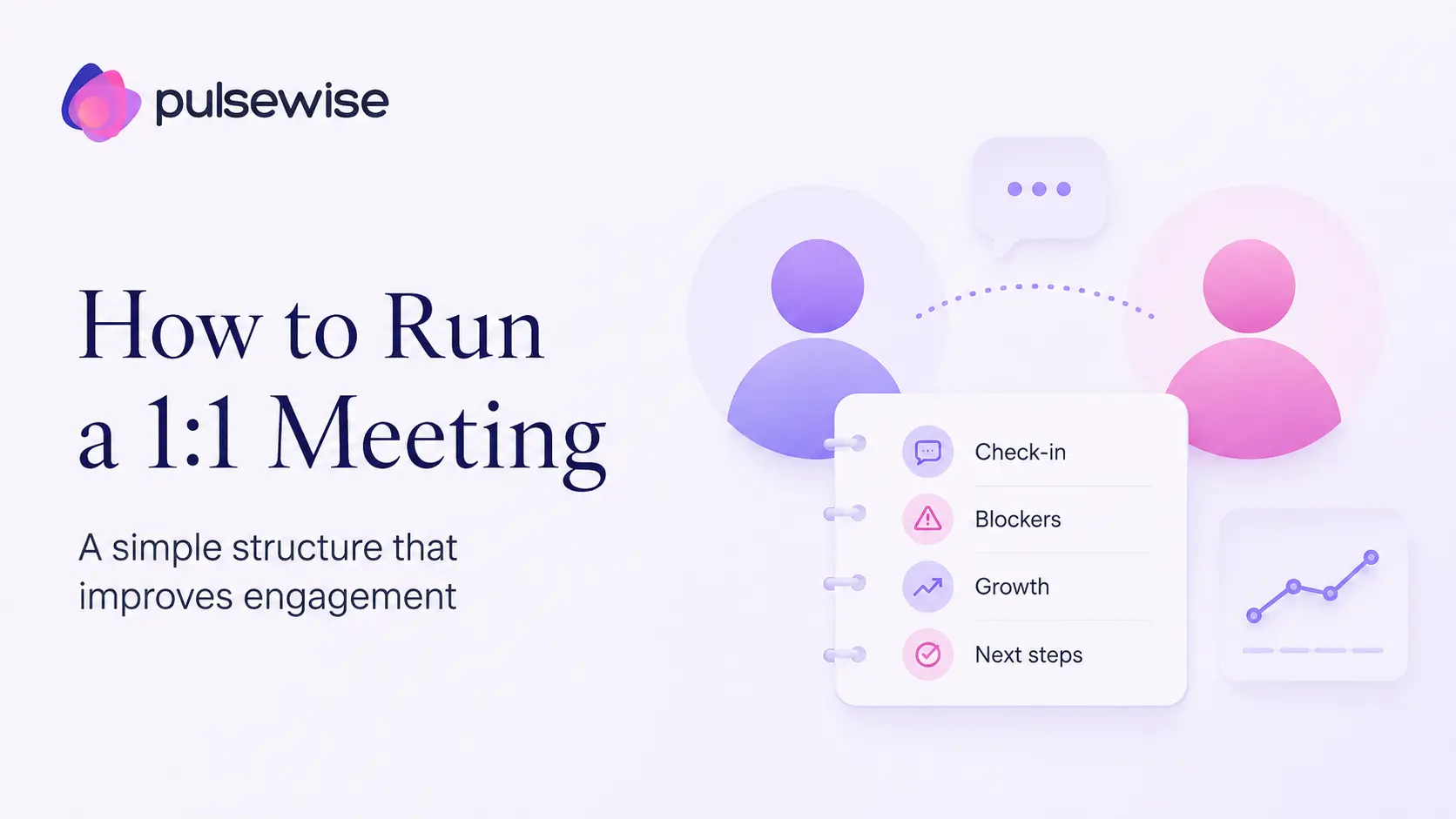
A simple 1:1 meeting agenda template
Whatever tool you pick, a good agenda has the same bones. Here is one you can paste into any of them, or into a shared doc.
| Section | Time | What to cover |
|---|---|---|
| Check-in | 5 min | How are you doing, really? |
| Their topics first | 10 min | Whatever the employee added to the agenda |
| Open action items | 5 min | What from last time is done, stuck, or dropped? |
| Goals and growth | 5 min | Progress on goals, skills they want to build |
| Feedback both ways | 5 min | One thing going well, one thing to change, from each side |
| Wrap-up | 2 min | Agree the next actions, owners, and dates |
Put the employee’s topics before the manager’s updates. The meeting works best when they set most of the direction.
How to choose the right tool
Start with where your managers already spend their day, then match on what you want the 1:1 to accomplish.
| Your situation | Look at first | Why |
|---|---|---|
| Want 1:1s driven by team sentiment and goals | Pulsewise | Talking points come from live signals |
| Want the best dedicated meeting notes and agendas | Fellow | Built only for this |
| Performance reviews are the main pain | Lattice or Leapsome | 1:1s tie into reviews |
| Microsoft Teams and Outlook | Teamflect | Native to the stack |
| Slack and Google Workspace | Windmill | AI agendas in Slack |
| Weekly check-in culture | 15Five | Check-ins are the core |
| Zero budget, under 10 people | Google Docs or Notion | Free and simple |
Two things matter more than any feature first, whether managers open the tool without being nagged, which depends mostly on Slack or Teams delivery. Second, whether the tool shows managers anything beyond a blank page.
If you also want a pulse on how the whole team feels, our guide to the best pulse survey software compares ten tools for that job.
Whichever you choose, pilot it with your three least patient managers for two weeks. If they use it without training, you have a tool. If they drift back to a doc, you have your answer.
Closing
If you take one thing from this list, make it this: the tool matters less than whether your managers keep having the meeting. Features help, but adoption decides everything.
For most teams, that points to a tool that lives in Slack or Teams, keeps agendas and action items in one place, and gives managers something to talk about beyond status. If you want that last part, start from the signals your team is already giving you.
Pick two or three, run a two-week pilot, and watch who opens it. Pulsewise is free for the first 100 teams, with no credit card, so it costs nothing to test. Claim your free spot or book a quick demo, and we will walk through it with your own team in mind.
FAQs
What is the best software for one-on-one meetings?
The best software depends on your stack and goals. Fellow suits teams wanting a dedicated meeting tool, Lattice and Leapsome suit teams tying 1:1s to reviews, Teamflect fits Microsoft Teams, and Windmill fits Slack. Pulsewise suits managers who want talking points drawn from live team signals.
What should be in a one-on-one meeting agenda?
A good 1:1 agenda covers a personal check-in, the employee’s own topics first, open action items from last time, progress on goals and growth, feedback in both directions, and a wrap-up with owners and dates. Let the employee add topics before the meeting so it does not turn into a status update.
How often should you have one-on-ones?
Most managers hold 1:1s weekly or every two weeks, for 30 minutes. Weekly suits new hires and fast-moving roles, while every two weeks works for experienced people. Skipping them for a month sends a clear signal, so protect the slot and move it rather than cancel it.
Is there a free one-on-one meeting app?
Yes. Pulsewise is free for the first 100 teams, Teamflect is free for up to 10 users, Windmill is free for the first 10 users, and Fellow has a free plan capped at 5 seats. A shared Google Doc or Notion page also works as a zero-cost starting point.
Should one-on-one meeting notes be shared?
Yes, shared notes work best. Both people can see what was agreed, and the employee can add topics and check progress. Keep a private section for the manager’s coaching thoughts, and never share notes with anyone outside the relationship without telling the employee first.
How do you run an effective one-on-one meeting?
Send the agenda ahead, let the employee lead, and ask open questions. Spend most of the time listening, capture two or three clear action items with owners, and start the next meeting by reviewing them. The follow-up habit matters more than any single conversation.